Imagine running a small clinic. You know exactly what you need: patients, doctors, appointments, and a rule that nobody can be double-booked. What you don't have is a backend developer.
Mesora Blocks is our answer to that scenario. You describe the backend you want in plain language. A team of AI agents asks you clarifying questions, designs the API, shows you the design in plain English for approval, writes the code, tests it, and hands you back a running API with its own SQLite database and a Swagger page to try it.
"I run a small clinic. I need to book patients into appointments."
        │
        ▼
Requirements ──► Architect ──► [you approve the plan] ──► Coder ⇄ Tester
        │
        ▼
http://localhost:8101/docs    running API, tests passing, data saved in SQLite
We built it as Group 3 for the agents project in our MSc NLP course at Ashesi. This article covers the architecture, the decisions that made it reliable, and my part of it: the interface, the requirements agent and the human-in-the-loop experience.
The team
| Role | Member | Owns |
|---|---|---|
| 1. Interface & Requirements | Eugene Sewor (me) | Gateway, UI, requirements agent, approval screen, "try it" panel, deployment |
| 2. Orchestrator & Architect | Henry Brandoh | Orchestrator, shared SDK setup, architect agent, logging |
| 3. Coder & Sandbox | Heny Olletey | Coder agent, permissions and hooks, Docker sandbox, security |
| 4. Tester, RAG & Evaluation | Liza Ndede | Tester agent, pattern library (RAG), benchmark, schema checking |
From a hand-built prototype to the SDK
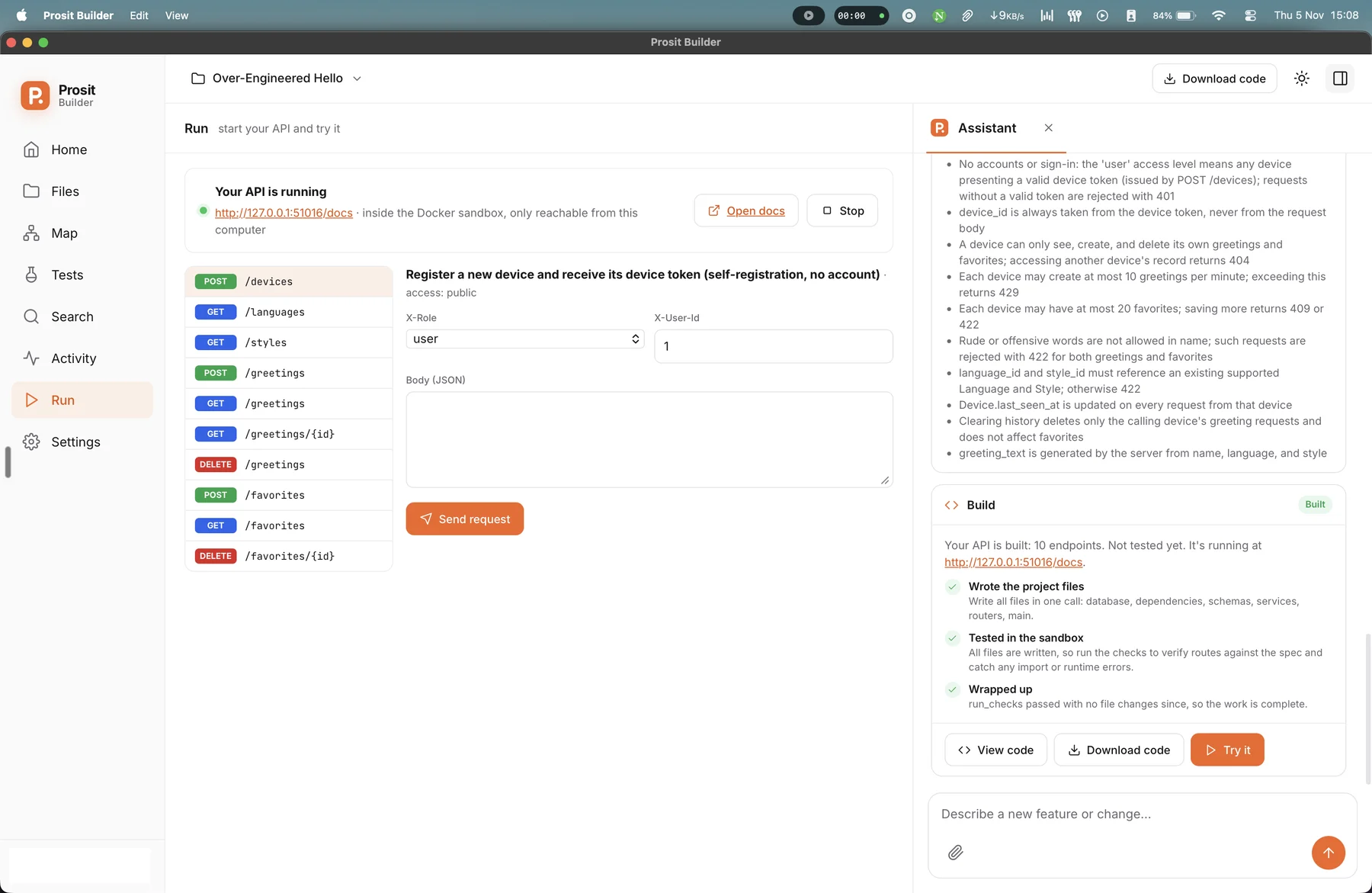
Before the team version, I built a working prototype by hand, with my own agent loop and tool handling. It ran end to end and its interface, then called Prosit Builder, became the reference design for the team.
When we moved to the team build, our lecturer's advice was to use a framework instead of hand-rolling orchestration. We chose the Claude Agent SDK. It gives every agent the Thought → Action → Observation loop, file tools, permission rules and hooks out of the box, so we could spend our time on the product instead of the plumbing. I archived my hand-built version as a baseline the SDK version has to beat.
Architecture
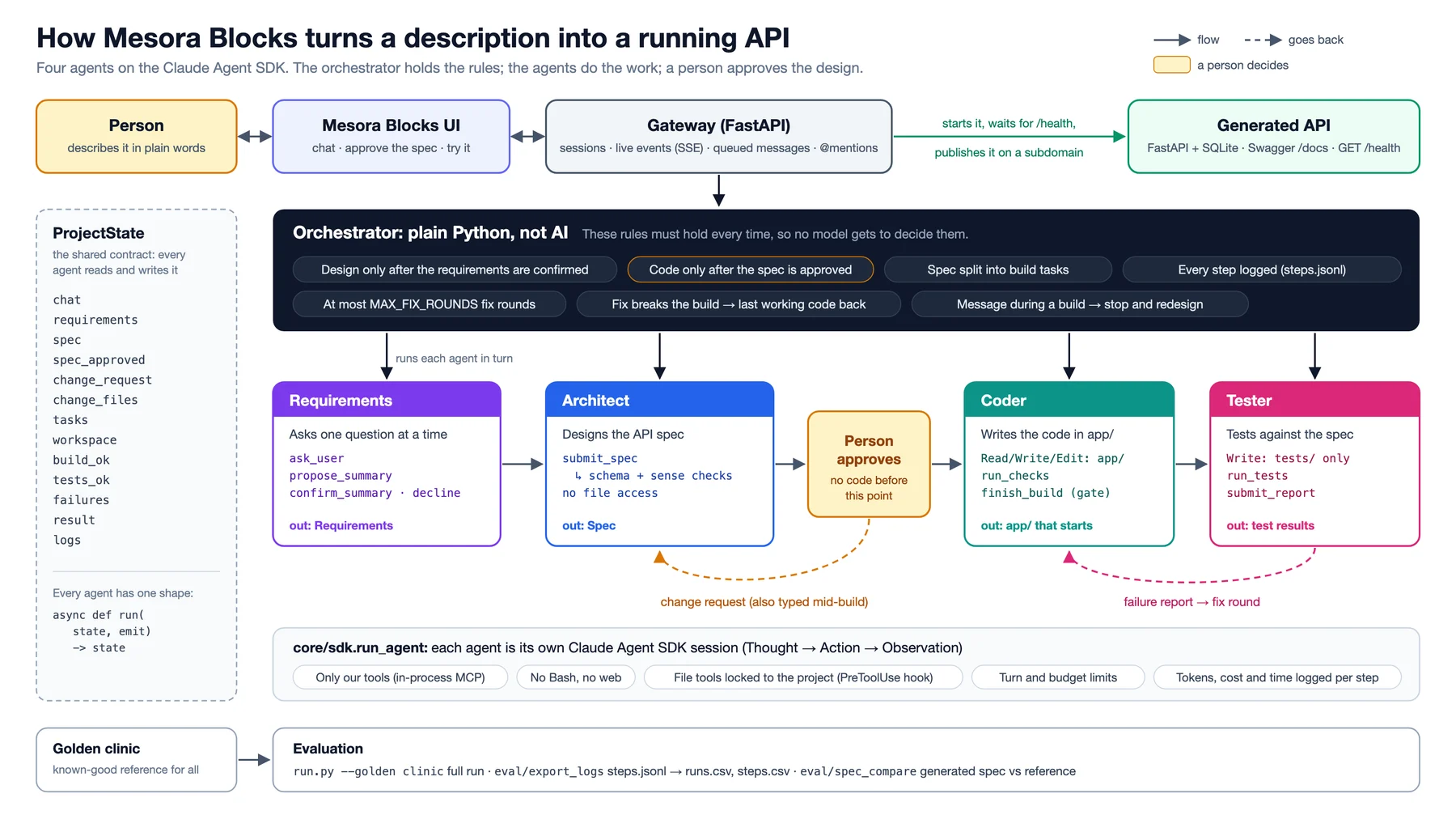
| Component | What it does | Built with |
|---|---|---|
| UI | Chat, spec approval, live build progress, "try it" panel | Static HTML/JS, installable as a PWA |
| Gateway | Sessions, messages, live event stream to the UI | FastAPI + Server-Sent Events |
| Orchestrator | Runs the agents in order, handles approval and change requests, enforces stop rules, logs every step | Plain Python state machine |
| Agents | Requirements, Architect, Coder, Tester, each its own SDK session with its own prompt, tools and permissions | claude-agent-sdk |
| Custom tools | submit_spec, run_checks, run_tests, finish_build, search_patterns |
SDK @tool, served as an in-process MCP server |
| Sandbox | Runs generated code in locked-down containers | Docker |
The build flow
- Understand. The Requirements agent chats with the user one question at a time, with tap-able quick replies, then shows a plain-English summary. When the user taps Looks right, that exact summary becomes the requirements.
- Design. The Architect turns the requirements into a spec: entities, fields, endpoints, access rules and business rules.
submit_specvalidates it against a schema before accepting it. - Approve. The UI shows the spec in plain English. The user approves or asks for a change. No code is written before approval.
- Build. The Coder writes the app, calls
run_checksuntil everything passes, then callsfinish_build. - Test. The Tester writes tests from the spec, not the code, runs them, and files a structured failure report if anything breaks.
- Fix. The report sends the Coder back into its loop for a bounded number of rounds. If a fix breaks the build, the last working code is restored and the known failures are reported honestly.
- Deliver. The API starts in a sandbox and the user gets its URL, docs link, endpoint list and test results.
The most important parts aren't AI
The single design principle I'd pass on from this project: anything that must hold every time should be enforced in code, not requested in a prompt.
- The orchestrator is plain Python, not an agent. The order of steps, the approval gate, the fix-round limit and the logging have to be predictable, and they have to be explainable in a viva. A model doesn't get to decide them.
- The finish gate is enforced in code.
finish_buildis refused until checks have passed since the last file change. The Coder cannot simply announce that it's done. - The Coder cannot edit the tests. A
PreToolUsehook limits it to writingapp/**/*.py, and the Tester totests/**/*.py. Without this, the easiest way for a coding agent to "pass" is to weaken the tests. - Tests are written from the spec. If the Tester read the Coder's code first, it would tend to test what the code does instead of what the user asked for.
- No shell, no web.
Bash,WebFetchandWebSearchare disabled for every agent. They run code only through our sandbox tools.
The sandbox
Generated code runs in Docker containers with no network for checks and tests, a read-only code mount, a read-only root filesystem, a non-root user with no capabilities, and limits of 512 MB of memory, one CPU, 128 processes and 120 seconds per run. The SQLite database lives on a separate writable volume, so data survives restarts but nothing else is writable. The API key lives only in the gateway's environment and never reaches a workspace or a container.
My part: making it usable by someone who isn't a developer
The target user has never seen Swagger. Everything I built was aimed at keeping them in control without asking them to read code.
- One question at a time. The Requirements agent asks short questions with quick-reply buttons, and its summary is confirmed in code, so what the user approved is exactly what the Architect receives. Off-topic or harmful requests are declined with a dedicated tool, and user text is always passed to agents as quoted data, never as instructions.
- Plain-English approval. The spec is shown as rules written in plain English, the way a business owner would say them, with Approve and Request change.
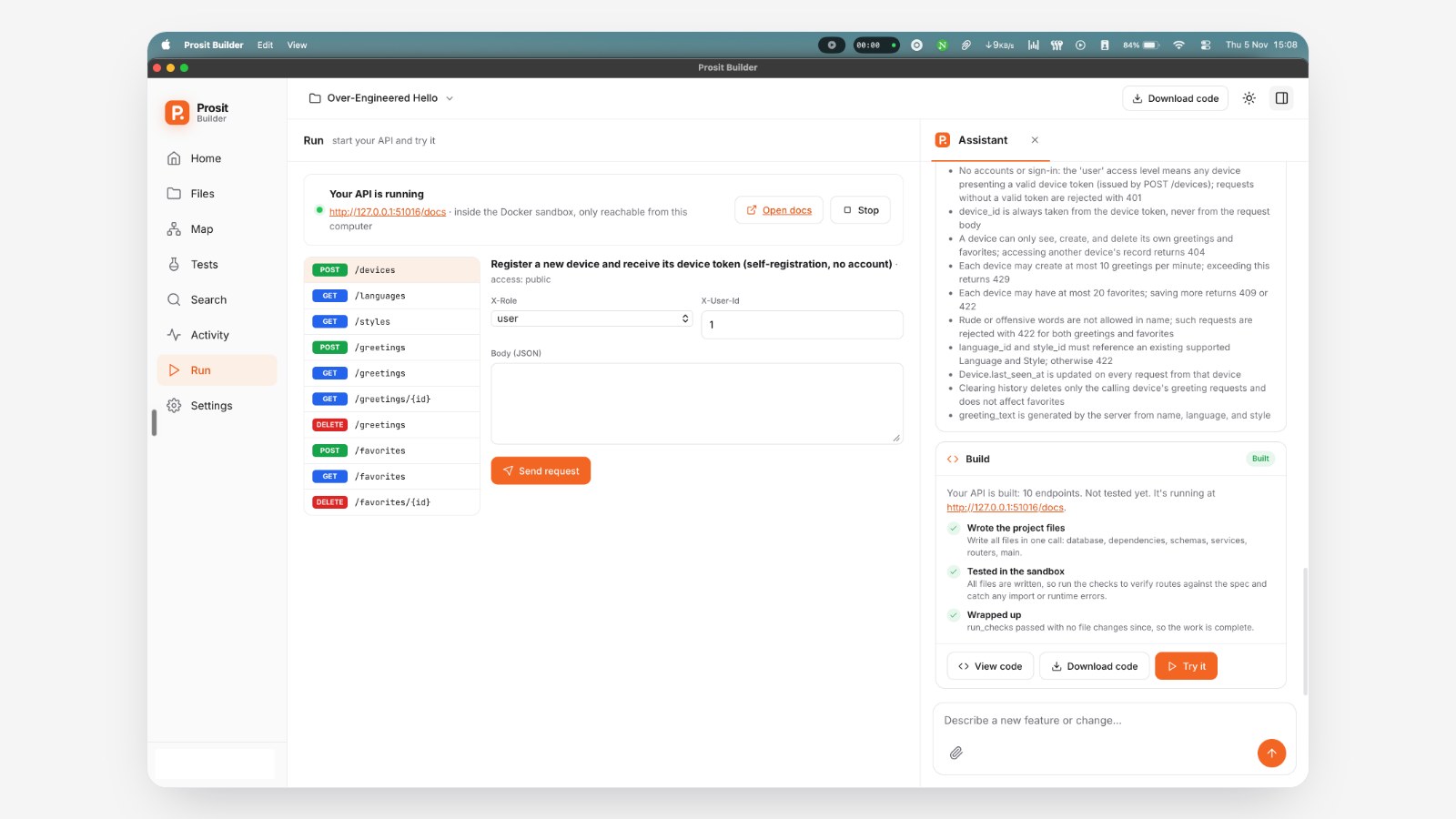
- "Try it" without Swagger. The Run view groups actions by data (Create, View, Edit, Delete), builds forms from the spec's fields, lets you "try it as" anyone, a signed-in user or an admin, and shows results as a table or a plain-English error.
- Changes mid-build. Messages sent during a build are queued and shown in the chat; between agent steps the orchestrator checks the queue and routes them to the Architect as a change request. Typing
@lets you point at a specific file, such as "In @app/main.py, let patients reschedule." - Attachments as a knowledge base. You can drop in screenshots, PDFs or CSVs about your business, and every agent can read them.
- Works on a phone. One screen at a time with a floating tab bar, bottom sheets, down to an iPhone SE, and installable as a PWA with an offline page.
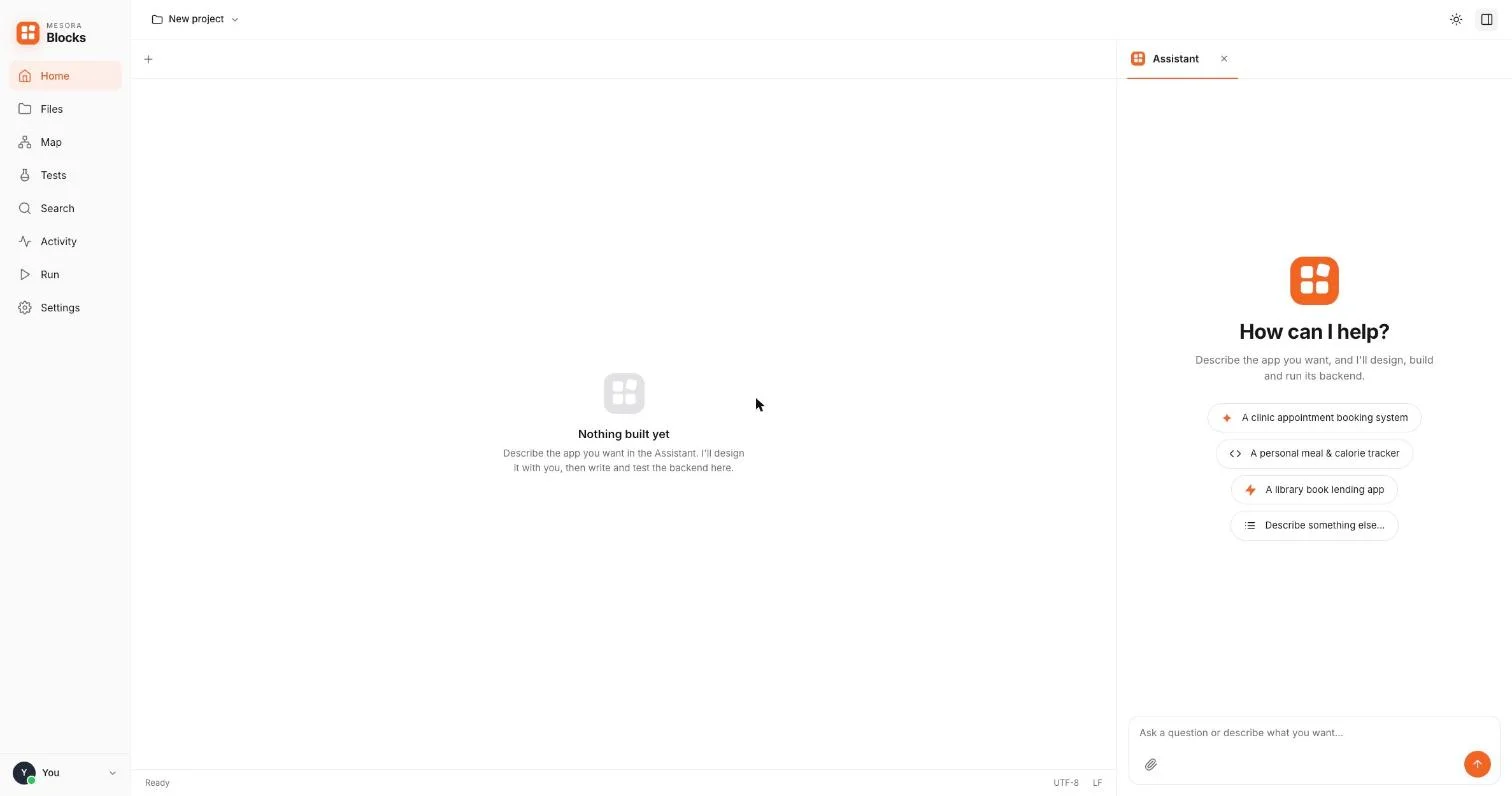
- Publish. You pick a subdomain and get a permanent URL for the API you built. I deployed the app with Coolify at mesorablocks.online, with HTTPS per published subdomain.
A finding we didn't expect
Our Tester checks the inputs a person would think of. Liza added a second, model-free check with Schemathesis, which reads the built API's own OpenAPI document and fires many generated requests at every endpoint: missing fields, wrong types, empty strings, huge numbers. The property is simple: the API must always answer and never crash. A refusal (401, 404, 409, 422) is correct; a 500 is a failure.
Its first finding: every API the Coder had built so far crashed when an id was larger than SQLite can store (9223372036854775808), on about half of its endpoints. No hand-written or model-written test had tried that. It's a good reminder that property-based testing finds a different class of bug than example-based tests, whether a person or a model writes the examples.
Honest status
Mesora Blocks is still in progress, and I'd rather say so plainly:
- The SDK rebuild is under way. The hosted app currently runs with stub agents, and generated APIs run as plain processes inside the app container until the serve sandbox is finished.
- Header-based auth (
X-Role,X-User-Id) in generated APIs is for demonstration only. It is not real authentication. - The serve sandbox doesn't yet block outbound network traffic.
- Evaluation is ahead of us: a 20-scenario benchmark with hidden tests is written, and we still have to run comparisons (no tester, single agent, no RAG, and my hand-built baseline versus the SDK), plus a usability test with non-developers.
What I took away
Building agents is mostly building the rails around them: the state machine, the permissions, the gates and the sandbox. The model is the most capable part of the system and also the least predictable, so the job is to give it a lot of room inside a box whose walls are written in code.
The other lesson is about people. The hardest UX problem wasn't showing build progress; it was making sure a non-developer understands what they're approving before any code is written. That approval screen is the most important screen in the product.
The code is on GitHub, and the hosted app is at mesorablocks.online.